Import from Evans Rabbit Register
OmniBurrow ships an Evans Rabbit Register profile, so an Evans export is recognized from its column headers and mapped for you — no manual column matching. Evans XML backups are parsed as well as CSV, and because Evans references parents by its own record number rather than by name, sire and dam links come across exactly instead of being guessed from spelling. Nothing is written to your herd until you approve the review screen.
What comes across
An Evans XML backup holds each section as its own table, and OmniBurrow reads two of them: animals and contacts.
| Evans column | Becomes |
|---|---|
Name | Rabbit name |
Ear_Num | Ear tag |
Sex | Sex: buck or doe |
DOB | Date of birth |
Breed | Breed, matched against the ARBA catalog |
Variety | Variety, matched against that breed's varieties |
CID | The Evans record number, used to rebuild parent links |
SireKey / DamKey | Sire and dam, linked by Evans record number |
For contacts, FirstName and LastName are joined into the contact name, Email becomes the email
address, and FAX becomes the phone number.
Evans columns with no OmniBurrow field of their own are kept in the record's notes rather than
dropped — storage area, prefixes, and suffixes on a rabbit; rabbitry name, street, city, state, ZIP,
and country on a contact. Evans' ? placeholder is treated as empty, so it does not clutter your
notes.
A rabbit row needs a name or an ear tag to import; rows with neither are skipped. A contact row needs a name.
Do this import first, then pedigree import. Pedigree import links an extracted ancestor to a rabbit you already own when the ear tag or registration number matches exactly — getting the herd in first is what stops you ending up with two copies of every grandparent.
Export from Evans
OmniBurrow does not drive the other program, so what matters is the file you end up with. Either of these works:
- An XML backup in the flat Evans export format — an
ExportedDatadocument whose sections each hold a list ofRecordentries. Animals and contacts are read from their own sections, so one file can carry both. - A CSV of the animal list, as long as the Evans column names are kept. Detection keys off
Ear_Num,Variety,DOB, andSireKey/DamKey, so do not rename those headers.
Save the file where the device you are importing on can reach it — your computer for the web app, or somewhere the phone's file picker can see it (Files, Drive, an email attachment) for the mobile app. Files up to 10 MB are accepted; if yours is larger, export in parts.
Import into OmniBurrow
- Web App
- Mobile App
- Go to Dashboard → Import data and use the first section, Move data from another program.
- Drop the Evans
.xmlor.csvfile into the drop zone, or click to browse for it. - OmniBurrow reads the file, detects the Evans profile, and matches breeds, varieties, parents, and existing records. You land on the review screen.
- Check the review, then click Import to commit.
Rabbits and contacts both import on the web, which is everything an Evans backup carries. Litter,
weight, and finance files import on the mobile app. An Evans file lands on the same review screen. Parent links it could not resolve are called out
rather than silently dropped.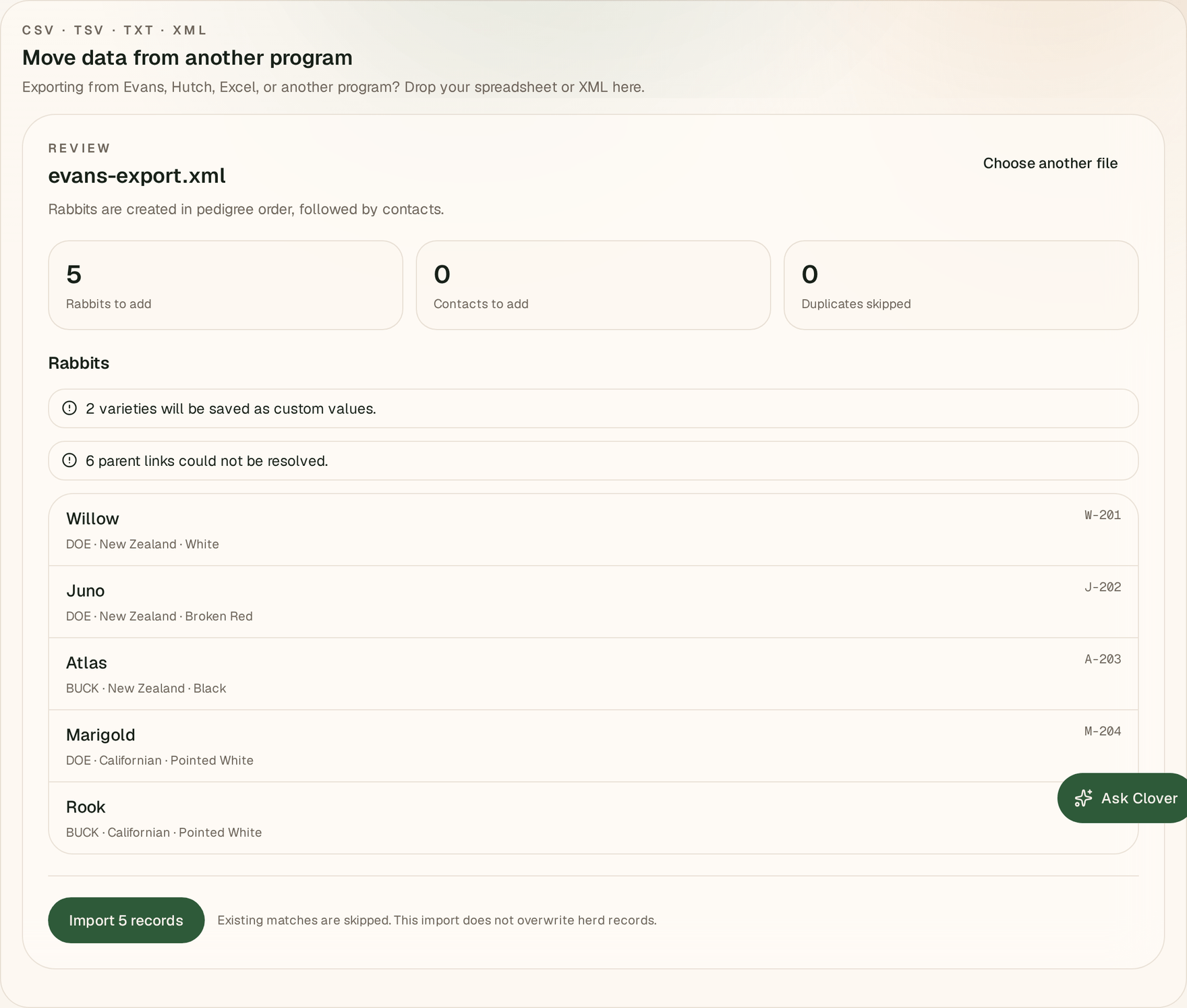
- Open More → Import, then Move data from another program.
- Tap Choose import file and pick the Evans
.xml,.csv,.tsv, or.txtfile. - OmniBurrow shows what it found — the detected profile and its confidence, the row and column counts, and a preview of the first few rabbits. Tap Review and import.
- Check the review, then tap Import.
This works offline. The file is read and the records are written on the phone, and they sync the next time you have signal.
Review before committing
The review screen is the whole safety net — it shows exactly what will be created before anything is written.
- To import: how many new rabbits and contacts will be created.
- Already in herd: rows that matched a rabbit you already have. They are skipped, not overwritten. A row matches on registration number first, then ear tag, then name plus date of birth.
- Parents linked: how many sire and dam links resolved.
Warnings appear above the list when something needs your attention:
- A breed that did not match the ARBA catalog is kept as free text on the rabbit.
- A variety that did not match is saved as a custom variety.
- A parent link that could not be resolved is left empty rather than guessed.
- A parent name that matched more than one rabbit is flagged as ambiguous and left unlinked.
Dates are read from several formats. When a numeric date is genuinely ambiguous — both numbers 12 or
less, so 03/04 could be either order — OmniBurrow assumes US month/day and flags the row so you can
check it.
After the import
- Check the flagged rows first. Unresolved and ambiguous parent links are the ones worth fixing by hand, from each rabbit's record.
- Fix unmatched breeds and varieties. Free-text breeds work, but a catalog breed is what drives show classes and variety prediction.
- Read the imported notes on a rabbit or two. Anything Evans stored that OmniBurrow has no field for is in there.
- Then import your pedigree documents: see pedigree import.