Processing & Harvest
A processing session is one day's work recorded as a single event with a record per animal. You enter the weights; OmniBurrow computes dress-out percentage, edible yield, meat-to-bone ratio, and age at harvest from them, and files the results into your harvest and profitability analytics.
Before you process
If an animal is still inside a medication withdrawal window, the processing record is refused. You are told the date it clears, and nothing is saved.
Going ahead anyway takes two deliberate actions: switching on the withdrawal override and typing a reason. An override without a written reason is refused too. Both are stored permanently on the processing record.
The check only knows about treatments you recorded, using the withdrawal days set on the medication. A medication with no withdrawal days produces no block at all. See Treatments & Withdrawal Periods.
Worth doing first: get a live weight onto each animal shortly before processing. It is the denominator of dress-out percentage, and it is the one number you cannot recover afterwards.
Record a processing session
- Web App
- Mobile App
Go to Dashboard → Harvest and start a session.
Open Processing and start a session. This works offline.
The session itself records the date processed, who did the processing, the location, and notes. Inside it, each animal gets its own record, and one session can hold as many as you need.
Each record names exactly one subject:
- a rabbit from your herd,
- a kit from a litter,
- a litter, or
- an untracked count — a number of animals you never recorded individually, which is the honest way to log a batch you raised without per-animal records.
When a record is saved, OmniBurrow snapshots the animal's date of birth, sire, dam, and breed onto it. Those snapshots are what let the harvest analytics stay correct years later even if the parent records are edited, merged, or deleted.
Live and dressed weights
Seven weights can be recorded per animal, and none is required:
| Weight | What it is |
|---|---|
| Live | On the hoof, before processing |
| Dressed | The carcass |
| Chilled | After chilling |
| Edible meat | Meat off the bone |
| Bone | Bone weight |
| Offal | Organs |
| Pelt | The hide |
Alongside them each record can carry a carcass grade (A, B, C, reject, or ungraded), a harvest reason (market weight, cull for genetics, temperament, breeder retirement, health, injury, or other), a disposition (home use, sold, donated, discarded), pelt details — colour and pattern, coat condition, pelt grade, and destination, plus a processing cost and a sale amount.
You do not need all of it. Live and dressed weight alone give you the number most breeders are after.
Dress-out percentage
Four figures are calculated for you, so they are consistent across every animal and every season:
| Figure | How it is worked out |
|---|---|
| Dress-out % | Dressed weight ÷ live weight × 100 |
| Edible yield % | Edible meat ÷ dressed weight × 100 |
| Meat-to-bone ratio | Edible meat ÷ bone weight |
| Age at harvest | Days from the snapshotted date of birth to the processing date |
Each needs its inputs: no live weight means no dress-out percentage, no bone weight means no meat-to-bone. Record the two weights you care about and ignore the rest.
Dress-out is the headline number because it is comparable — between litters, between lines, between feeds — in a way that a carcass weight on its own is not.
Where the numbers go
Processing records feed two dashboards:
- Harvest analytics: how many processed, average live and dressed weights, total dressed weight, average age at harvest, average dress-out and edible yield, meat-to-bone, usable pelt ratio, and a breakdown by harvest reason and pelt grade.
- Profitability: processing costs and sale amounts land here alongside feed costs, which is what turns a batch into a margin.
Because the ancestry is snapshotted, harvest results stay attributable to a sire, dam, and breed for as long as you keep them, which is what makes "which line dresses out best" a question you can actually answer after a couple of seasons.
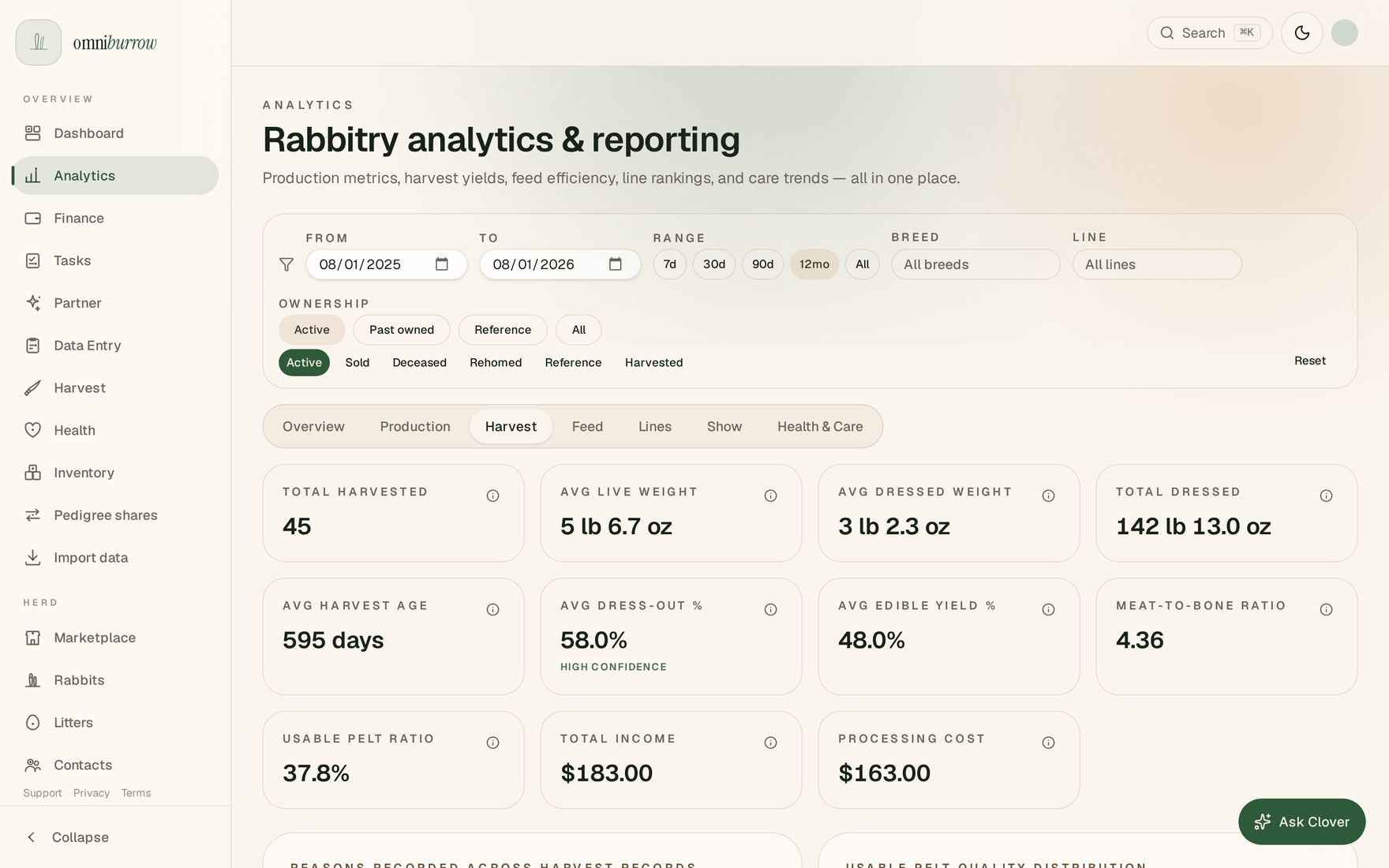
Web app: every harvest record you save rolls up into Analytics → Harvest — live weight in, dressed weight out, and the dress-out percentage computed from the pair.