Adding your first rabbit
Adding a rabbit takes two required fields — a name and a variety — and everything else can be filled in later or never. The fields worth taking seriously on the way past are the ear tag, the date of birth, and the parents, because those are what pedigrees, show classes, and growth projections are built from.
Do not type them in. OmniBurrow imports from a spreadsheet, from an Evans, Kintraks, or Everbreed export, or from photos of paper pedigrees. See Migrating In. Import your herd first, then come back and add new arrivals by hand.
Before you start
All you need is a signed-in account. See Account Setup. You do not need to set up breeds: every ARBA-recognized breed and its varieties are already there.
Add the rabbit
- Web App
- Mobile App
- Go to Rabbits.
- Choose to add a rabbit. The form opens as a dialog over the list.
- Fill in Name, then pick a Breed and Variety.
- Add anything else you know — ear tag, cage number, sex, date of birth.
- Save.
The dialog is grouped into sections: Identity, Breed & Appearance, Lineage, Details,
Registration & Pedigree, Purchase finance, Genetics, Notes, Feeding schedule, and
Photos. Only the first two need anything from you — the rest can stay empty. Only Name and Variety are required — everything else can wait.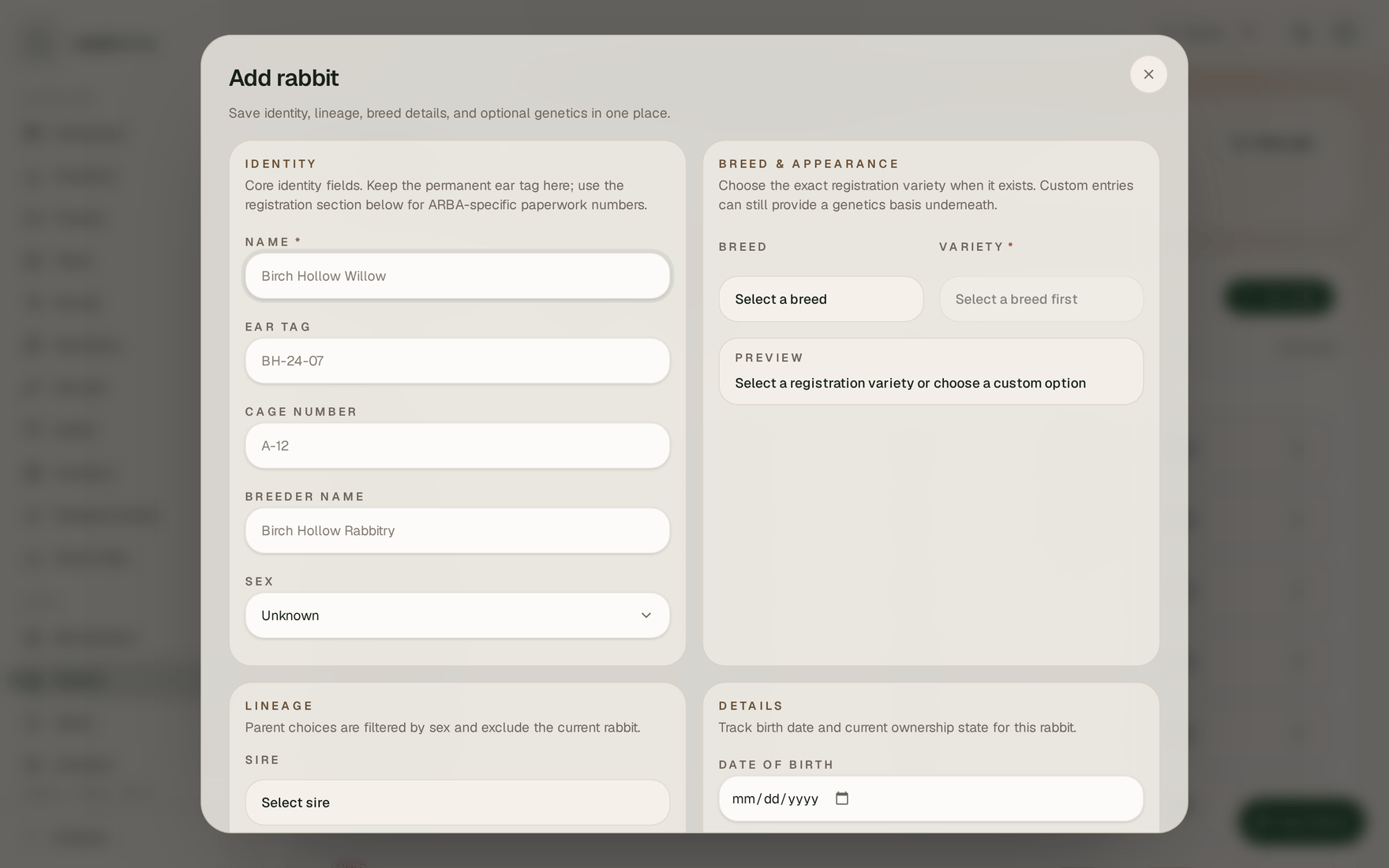
- Open the Rabbits tab.
- Tap + in the header.
- Fill in Name, then pick a Breed and Variety.
- Add anything else you know — ear tag, cage, date of birth.
- Tap Save rabbit.
You can take or choose a profile photo at the top of the same screen. This works offline: the
rabbit saves to your phone straight away and uploads when you have signal. Only Name and Variety are required — everything else can wait.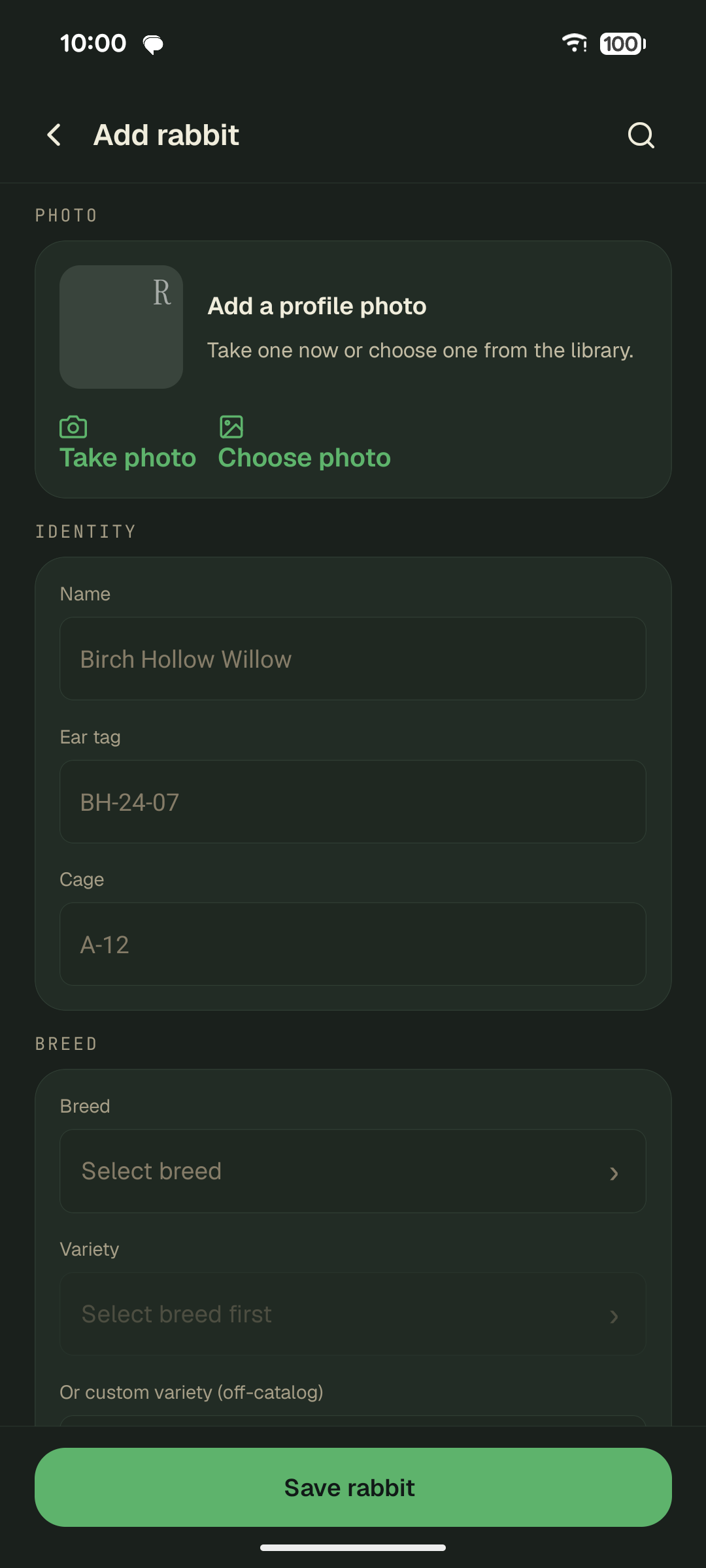
Fields that matter later
Most of the form is optional, but four fields do real work down the line:
- Breed decides which varieties you can pick, and sets the show-class scheme used to work out a rabbit's age class on show day. Pick the variety from the list where you can; there is an off-catalog option for varieties still in development.
- Ear tag and registration number are how OmniBurrow recognizes the same animal twice. They are what an import matches against when linking ancestors to rabbits you already have, and what merging duplicates relies on. A consistent tattoo scheme pays for itself the first time you import a pedigree.
- Date of birth drives age, weight targets, projected butcher date, and show class. Fill it in whenever you know it.
- Sex determines whether the rabbit can be picked as a sire or a dam.
Add its parents
You can set Sire and Dam while creating the rabbit, or add them any time afterwards. Pedigrees are not documents you build — they are generated from these parent links, so recording a parent updates every descendant's pedigree at once.
If the parents are not in your herd yet, you have two options: add them as rabbit records too, or import a pedigree document and let OmniBurrow extract the ancestors for you. See Pedigrees.
What to do next
- See what else a rabbit record holds → Rabbit Records
- Understand how rabbits, litters, and kits fit together → How Your Records Relate
- Start logging growth → Weights & Average Daily Gain