Supply Inventory
Inventory is what you have on the shelf: feed, medication, equipment, and general supplies, each with a quantity, a unit, and — if you set one — the level at which you want to be told to reorder. It is also the list feed and treatments draw from, which is what makes a bag of pellets both an expense and a stock level rather than two jobs.
Add an item
- Web App
- Mobile App
Go to Dashboard → Inventory and add an item.
Open Inventory and add one, or use + (Quick Log) → Add inventory item. This works offline.
Every item has a name, a category — feed, medication, equipment, or supply — a quantity, and a unit, which is free text so you can count in bags, bales, bottles, or pounds.
The optional fields are where it starts earning its keep:
| Field | What it does |
|---|---|
| Cost per unit | Values stock movements, and feeds cost figures |
| Feed weight lb per unit | Converts "one bag" into pounds of feed for conversion ratios |
| Reorder threshold | The level that triggers a low-stock warning |
| Default usage amount and auto-decrement interval | Lets an item consume itself on a schedule |
| Expiration date | Drives the expiring-soon warning |
| Last maintenance date and interval | For equipment that needs servicing rather than restocking |
Feed weight per unit is the one worth going back for. Without it a feed item cannot be converted into pounds, so it contributes cost but not weight to your conversion figures. See Feed Tracking.
Stock levels and expiry
Quantities change through movements, and every movement is kept: initial stock, purchases, receipts, adjustments, usage, and automatic draw-downs. The recent activity feed shows the latest of them, capped at a sensible number rather than the full history.
Two ways stock goes down without you touching it:
- A feed schedule consumes its item daily — amount per feeding times feedings per day.
- An item with a default usage amount and an interval consumes itself on that interval.
Both stop at zero rather than going negative.
Low-stock warnings
Three alerts are computed for you:
- Low stock: quantity at or below the reorder threshold you set.
- Expiring soon: an expiration date within the next 14 days.
- Maintenance due: equipment whose last maintenance date plus its interval has passed.
An item with no reorder threshold never counts as low, and one with no expiry date never counts as expiring. If you want the warnings, fill those fields in.
Filtering
The list filters by category and by name, and can show just the low or expiring items — which is the fastest way to build a shopping list before a feed run.
Linking to feed and treatments
Inventory is deliberately connected to the rest of the app:
- Finance: record a purchase and link it to an item, and one entry books the cost and adds the stock. See Finance & Bookkeeping.
- Feed: allocations can name the item they came from, and feed schedules draw stock down automatically. See Feed Tracking.
- Medication: the medicine box is a separate list with its own fields, including the withdrawal days that treatments depend on. Note that medication stock does not decrement when you dose — see Medication Inventory.
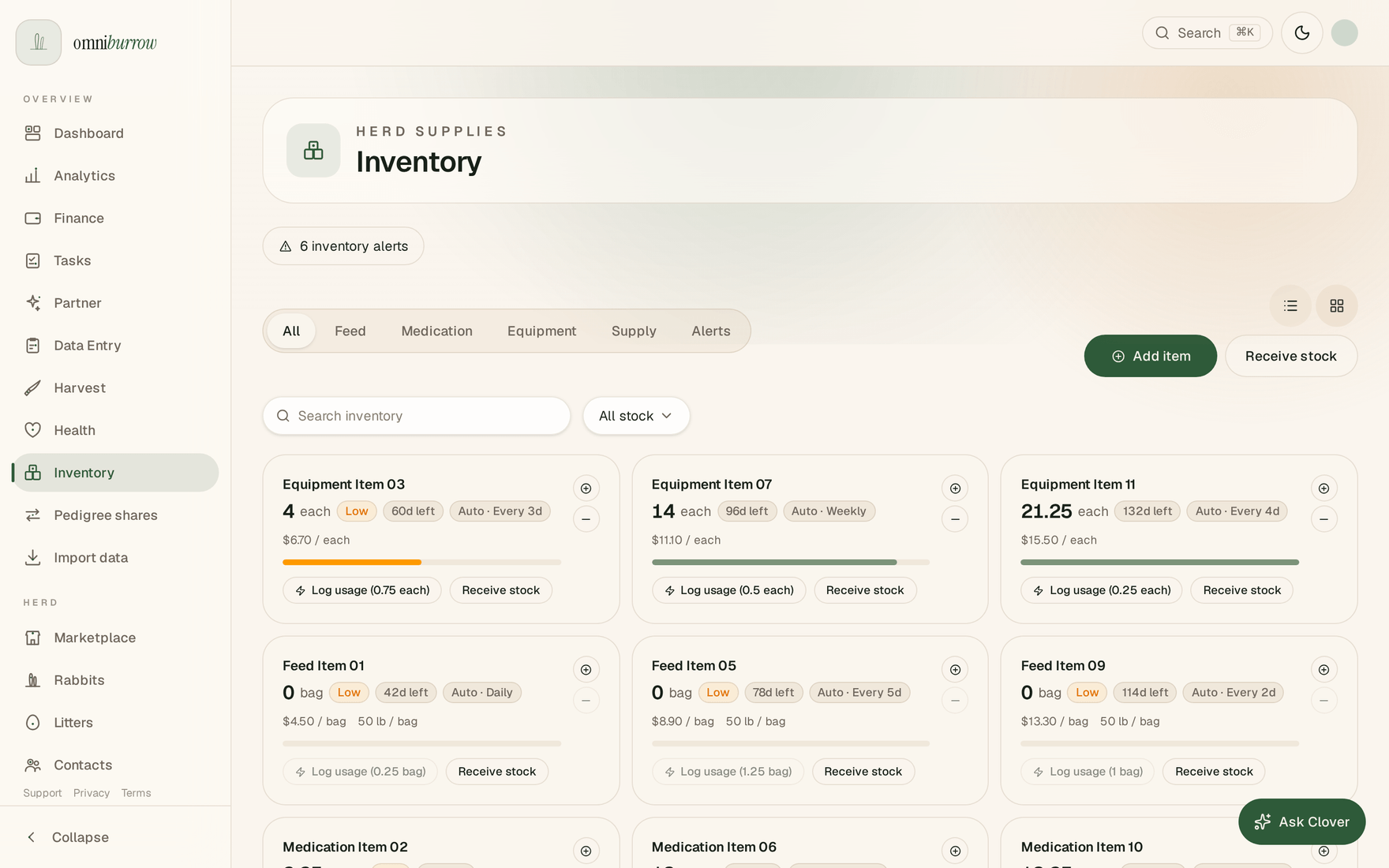
Web app: anything at or under its reorder threshold gets a Low badge and rolls up into the alert count at the top.