Data Ownership
Your pedigrees and records are irreplaceable, and often years of work. You can take a complete copy of them out of OmniBurrow at any time, in a format any spreadsheet reads, and your phone already holds a full copy of your herd, so your records do not depend on reaching a server, or on us.
You can always export everything
Request an export and you get two files: your data as one CSV per table, and your photos.
Three things about it are deliberate:
- It is ordinary CSV. Not a proprietary archive that only OmniBurrow can open. If you never touched OmniBurrow again, the file would still be readable in Excel, Numbers, or Google Sheets in ten years.
- It is complete. Every table — rabbits, litters, kits, weights, health, treatments, finance, contacts, shows, tasks, feed, inventory, processing, lines, settings, not just the headline records.
- It does not depend on paying. Export keeps working after a trial or subscription ends. Your way out is never behind the paywall. See Plans, Trial & Billing.
An export can be restored back into OmniBurrow, so it doubles as a real backup rather than just a readable one. See Backup, Export & Deletion and Restore from Backup.
Your phone holds its own copy
The mobile app is not a window onto a server. It keeps a complete local copy of your herd and works from that, which is why it functions in a barn with no signal, and why a lapsed subscription does not lock you out of reading and recording on the device.
That copy is a second guarantee alongside the export: even with no connection at all, the records are in your hand. See Offline-First Sync.
You control deletion
Two separate actions, and they behave differently:
- Delete all my data empties your account — records, photos, everything — and leaves you signed in with a working, empty account. It is immediate and irreversible.
- Close my account builds you an export first and emails you the links, cancels your subscription at the end of the paid period, and then schedules deletion 30 days out. During that window you can sign back in and undo it. After it, everything goes, including your sign-in identity.
Both require you to type delete to confirm, because neither should ever happen by accident.
If you signed in with Apple, one step happens on your device instead: deleting your account does not remove OmniBurrow from your Apple ID's list of apps. To finish, open Settings on your iPhone or iPad, tap your name, then Sign in with Apple, choose OmniBurrow, and tap Stop Using Apple ID.
Nothing is deleted quietly. A lapsed subscription stops data syncing; it does not remove anything, and it does not start a countdown.
What leaving looks like
If you decide OmniBurrow is not for you, the exit is not a negotiation:
- Request an export — no subscription needed, no support ticket, no waiting on us.
- Download both files within 7 days. Ask for another if you miss the window.
- Close your account if you want it gone, or simply stop paying and let access lapse. Your data stays where it is until you say otherwise.
There is no step in that list where somebody has to approve your request, and none of it requires an active subscription.
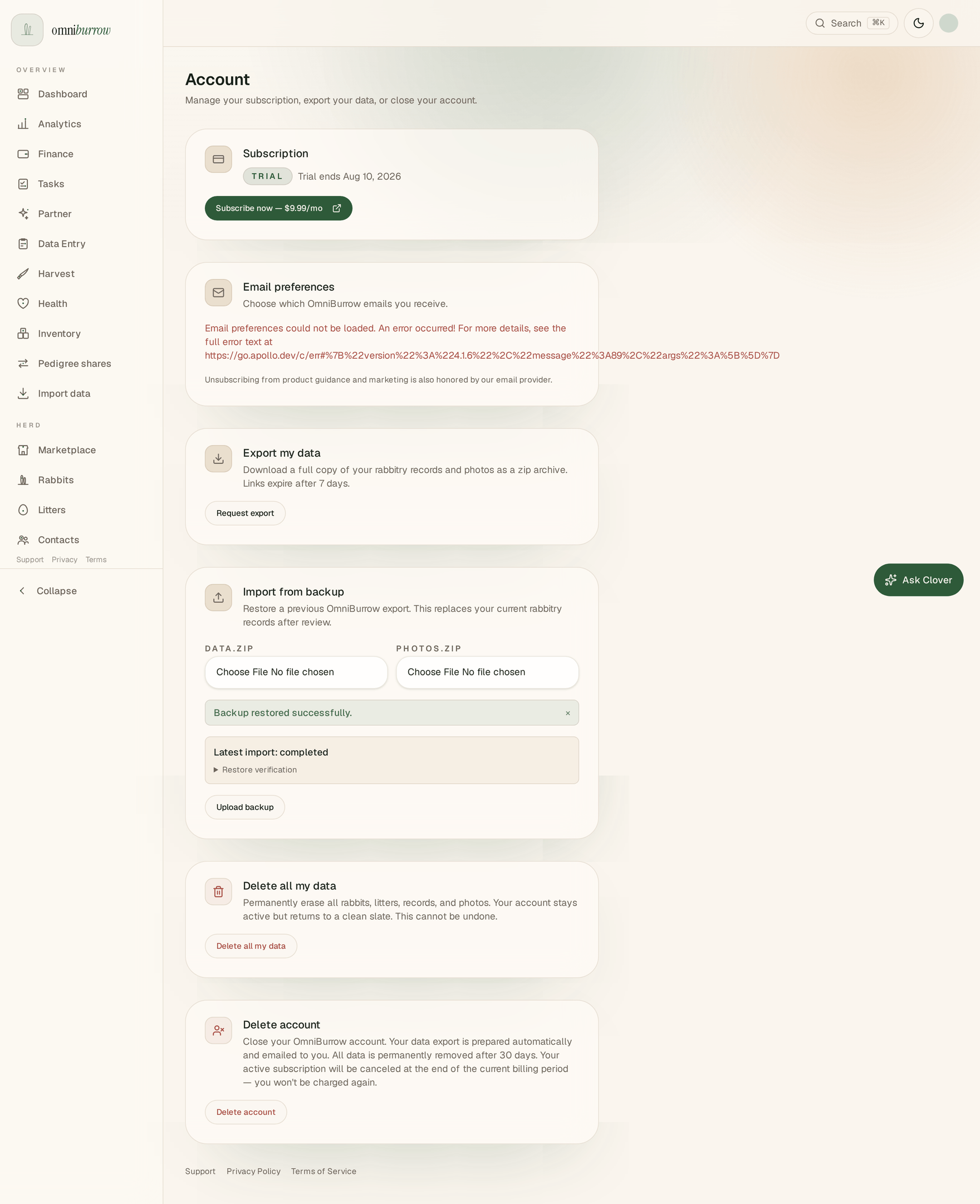
Web app: everything you can do with your own data lives on one page — export it, restore it, erase it, or close the account.