Marketplace Listings
The marketplace is OmniBurrow's public classifieds: you publish a listing, and buyers browse and contact you through it. Nothing in your herd appears there unless you deliberately publish it — a listing is a separate record you create, it starts as a draft, and it only goes live when you press publish. Listing a rabbit does not sell it or change anything about its record.
What the marketplace is
Listings are not only rabbits. A listing carries a type:
| Type | For |
|---|---|
| Sale | An individual rabbit |
| Litter | A litter, or kits from one |
| Stud | Stud service |
| Wanted | Something you are looking for |
| Supplies · Cages · Hides · Meat | Equipment and produce |
| Other | Anything else |
Buyers can filter on type, breed, sex, quality, state, price range, and free text across the title, description, colour, and sex.
An active listing is visible to anyone, signed in or not — it is not walled behind an OmniBurrow account. Your rabbitry name, city, and state appear on it, along with everything you type into it. Your email address and phone number are not published; buyer messages are relayed to you. Only listings you have published are visible; drafts, sold, and archived listings are not.
Create a listing
Listing creation needs a connection on both apps.
- Web App
- Mobile App
There are two routes in:
- From a rabbit: use List on marketplace on the rabbit's record. The listing is pre-filled from what you already know: its name as the title, a description built from breed, variety, sex and age, its photos, its show record, and its genetics if you want them included.
- From the marketplace: go to Marketplace → New listing and fill it in yourself.
Either way you work through a short stepper — type, details, photos, review — and the listing is saved as a draft as soon as the details are in. It goes live only when you press Publish listing on the last step.
Open Marketplace → New listing and fill in the form. As on the web, it saves as a draft first and publishes when you confirm.
Only two fields are required: the type and a title. Everything else — price, city, state, breed, sex, colour, age, quality, description, tags — is optional, though a listing with a price and a location is far easier for a buyer to find.
Setting the price to 0 marks the listing as contact for price rather than free.
Photos come from the rabbit's gallery. Rather than re-uploading, you pick from the images already on the rabbit and they are copied onto the listing. Photos on a rabbit stay private until you attach them to a listing this way. See Photos & Media.
Manage your listings
My listings shows everything you have created, in any state. A listing sits in one of four:
- Draft: created but never published. Not visible to anyone else.
- Active: live and findable.
- Sold: kept for your own records, no longer public.
- Archived: retired, no longer public.
You can edit a listing at any time, including while it is active.
What buyers see
A buyer browsing sees your listing's title, price, location, breed, sex, colour, quality, and cover photo, alongside your rabbitry name, star rating, and review count. Opening it shows the full description, all photos, and — if you included them — the show record, weights, and genotype snapshot.
They contact you through a form on the listing, giving their name, email, an optional phone number, and a message. That message is emailed to you; your address is never shown on the page. Replying is up to you, by email, outside OmniBurrow.
Anyone can send an enquiry — the buyer does not need an OmniBurrow account.
Taking a listing down
Set the listing to Sold or Archived and it stops being publicly visible immediately, while staying in your own list. Deleting it removes it entirely.
Note that marketplace listings are separate from your books. Marking a listing Sold does not record a sale — record the sale properly so the money, the buyer, and the pedigree transfer all happen. See Deposits & Sales.
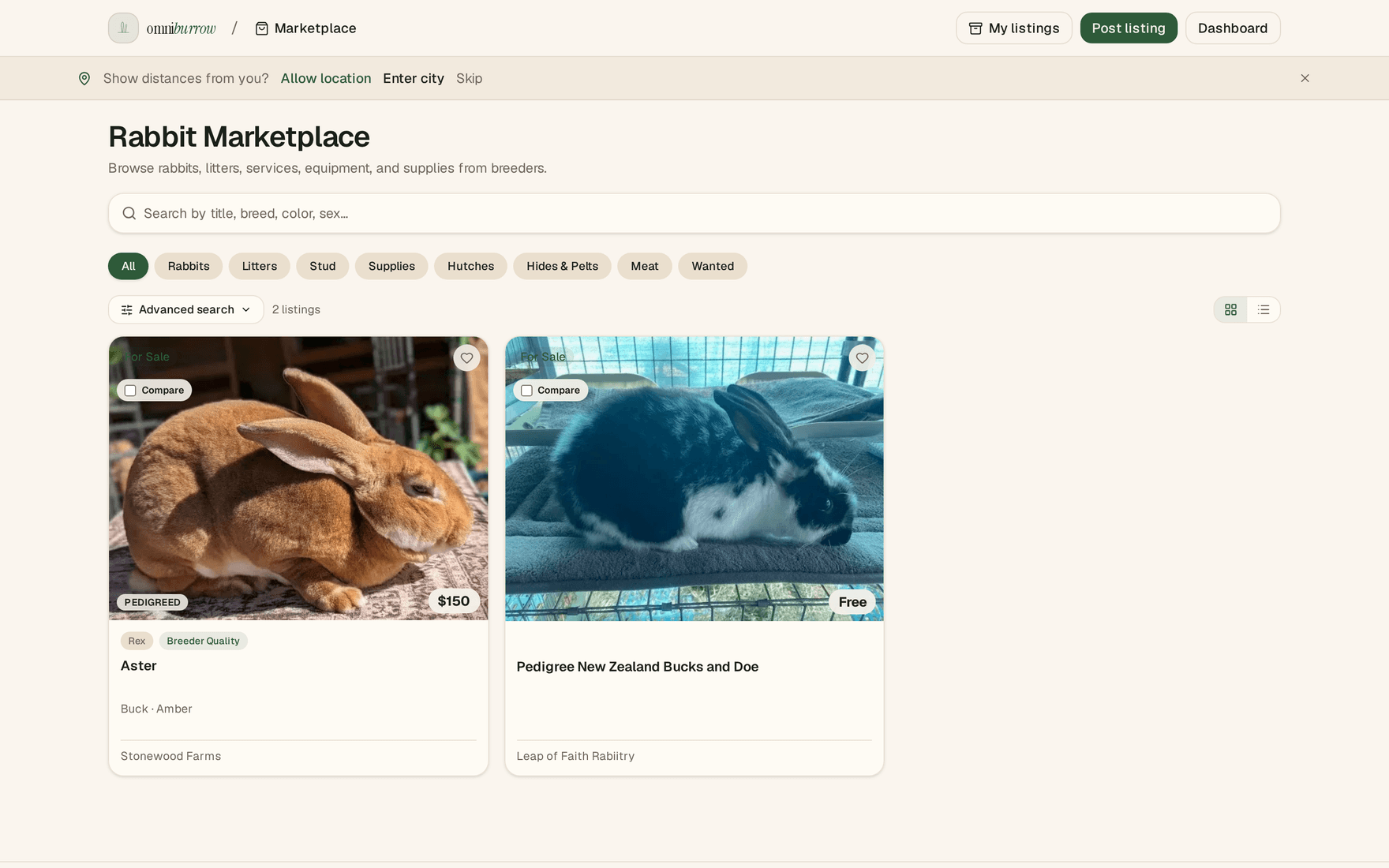
Marketplace browse. Filter by category, then open a listing to contact the seller.